Find classes
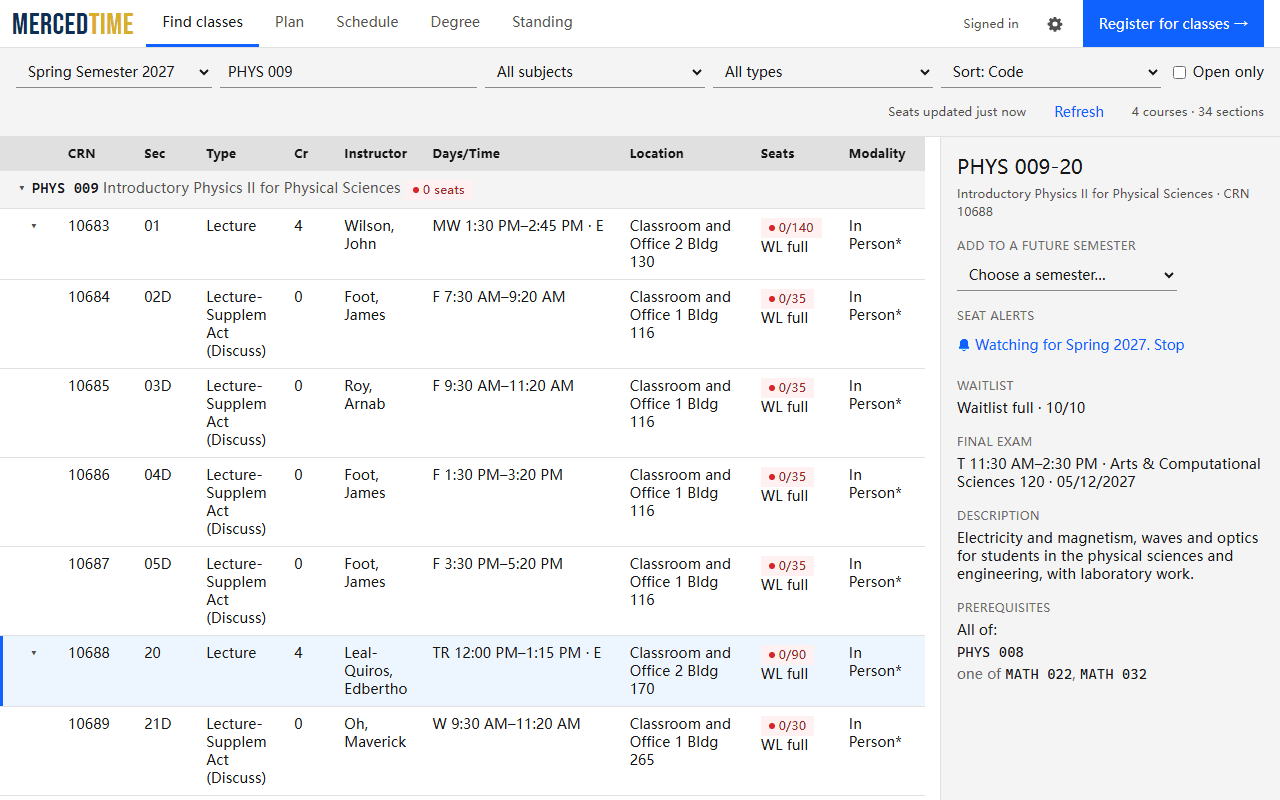
Search by class name, subject, course number, CRN or instructor, and see open seats, waitlists, times, rooms, final exams and prerequisites at a glance.
Search UC Merced classes, build schedules around your preferences, and track your degree.
Uses your existing UC Merced sign-in · Your data stays in your browser
Search by class name, subject, course number, CRN or instructor, and see open seats, waitlists, times, rooms, final exams and prerequisites at a glance.
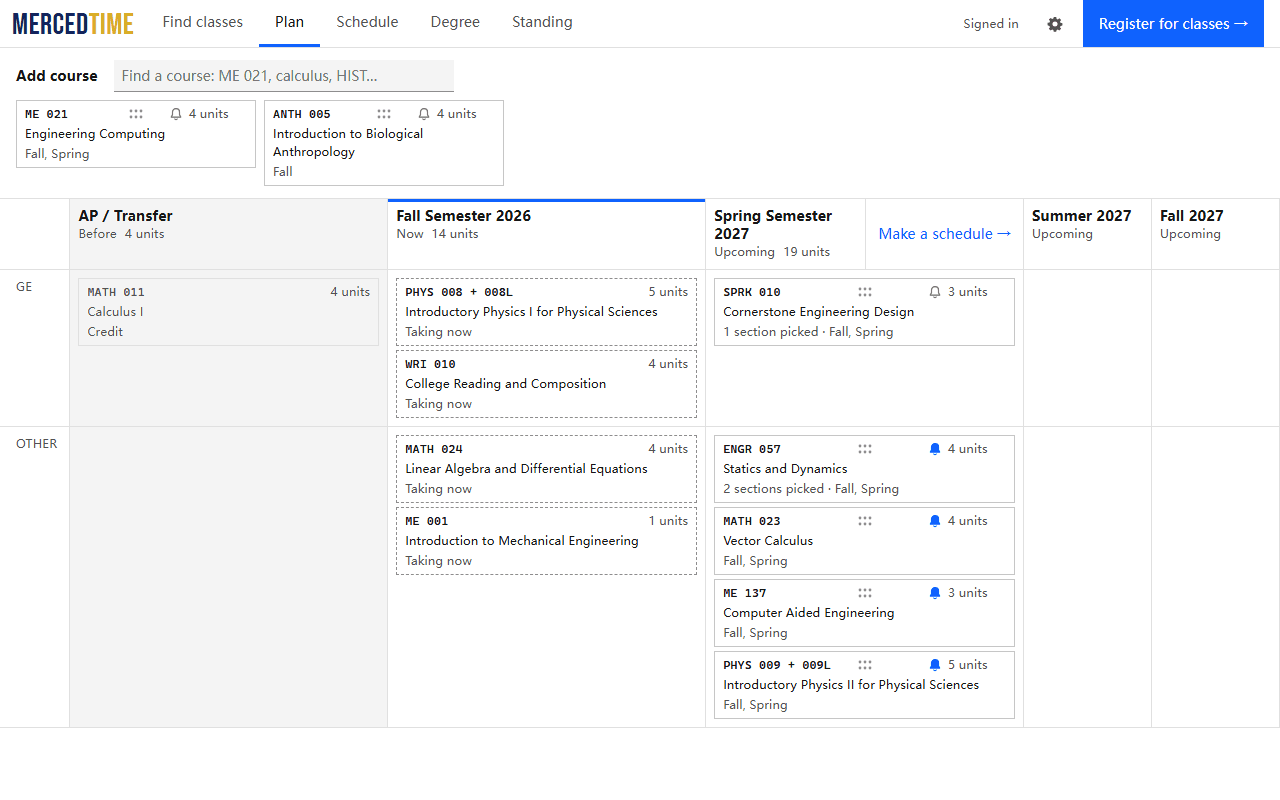
Every semester in one list, from classes you’ve taken to future plans. See every possible schedule for your classes, keep lunch free, and sort by fewest days on campus.
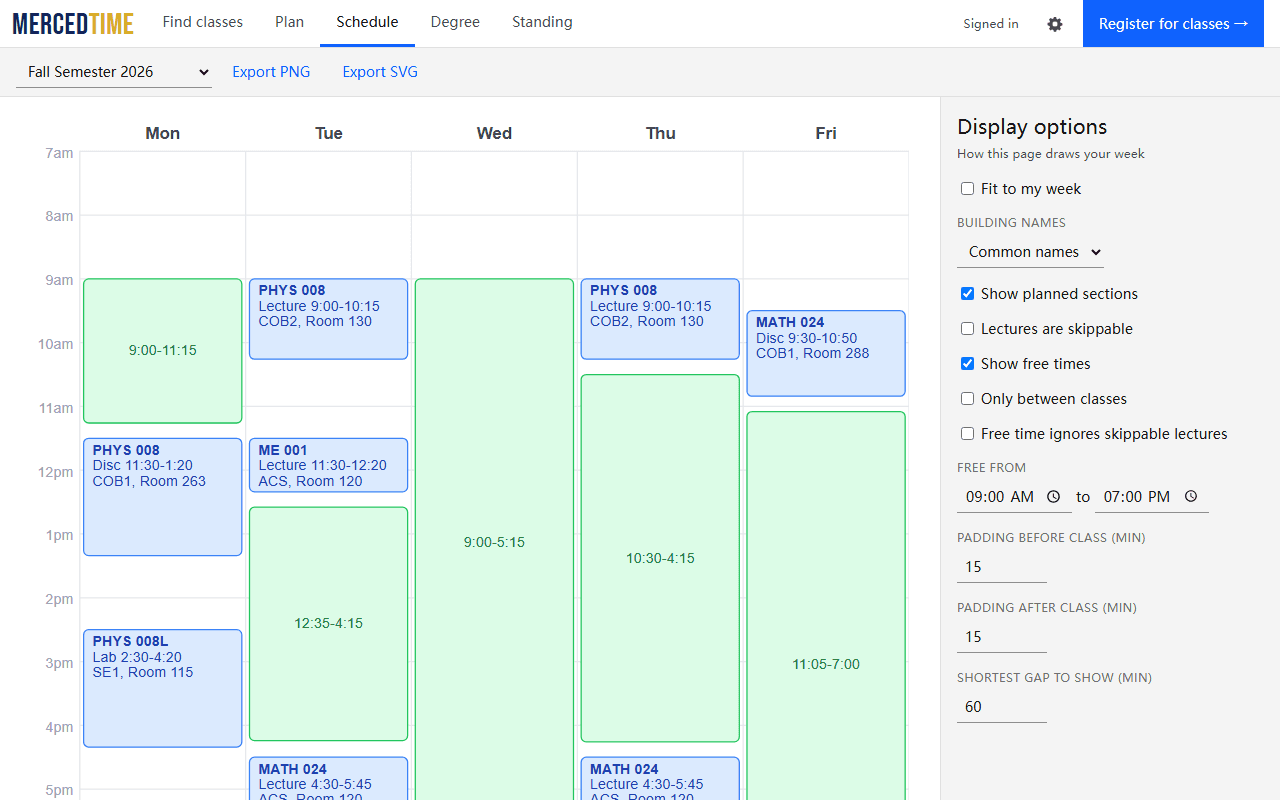
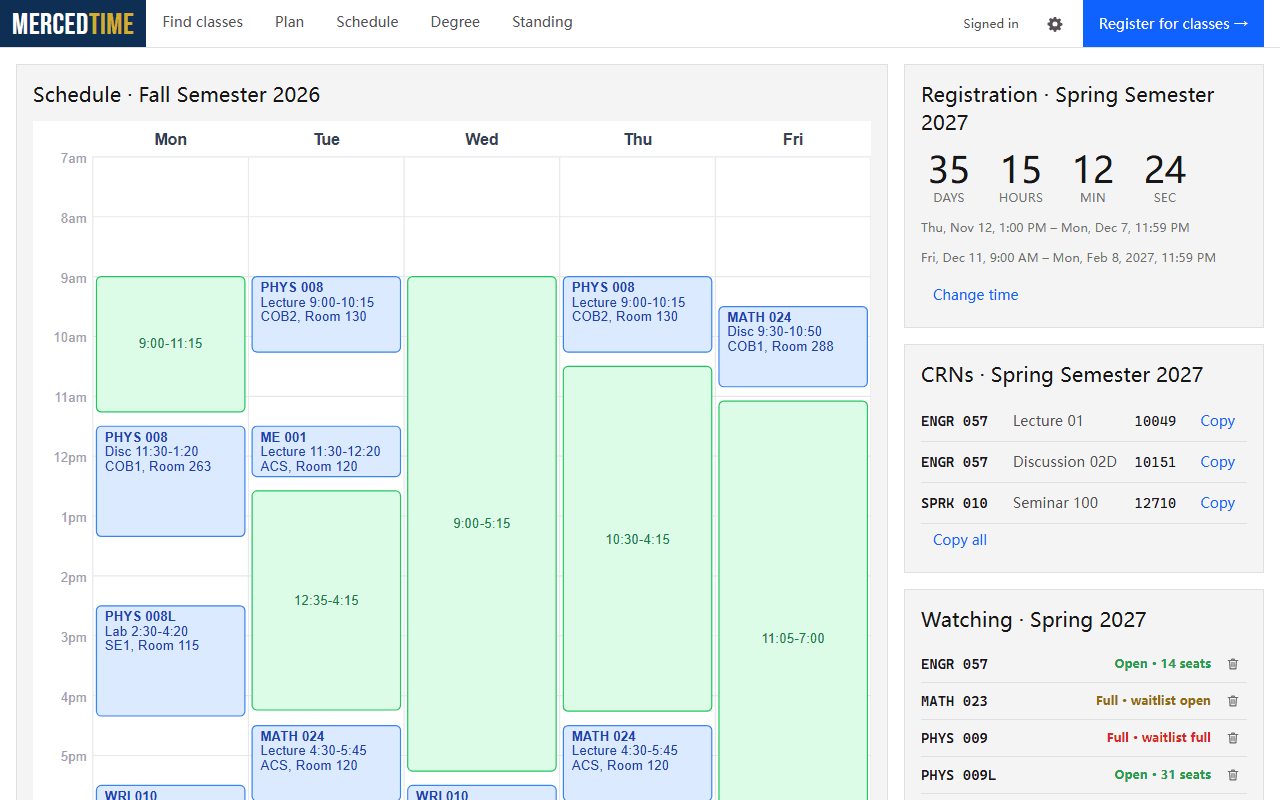
Your week, drawn from your registered or planned classes, with the free time between them, dining hall hours, and a one-click download as an image.
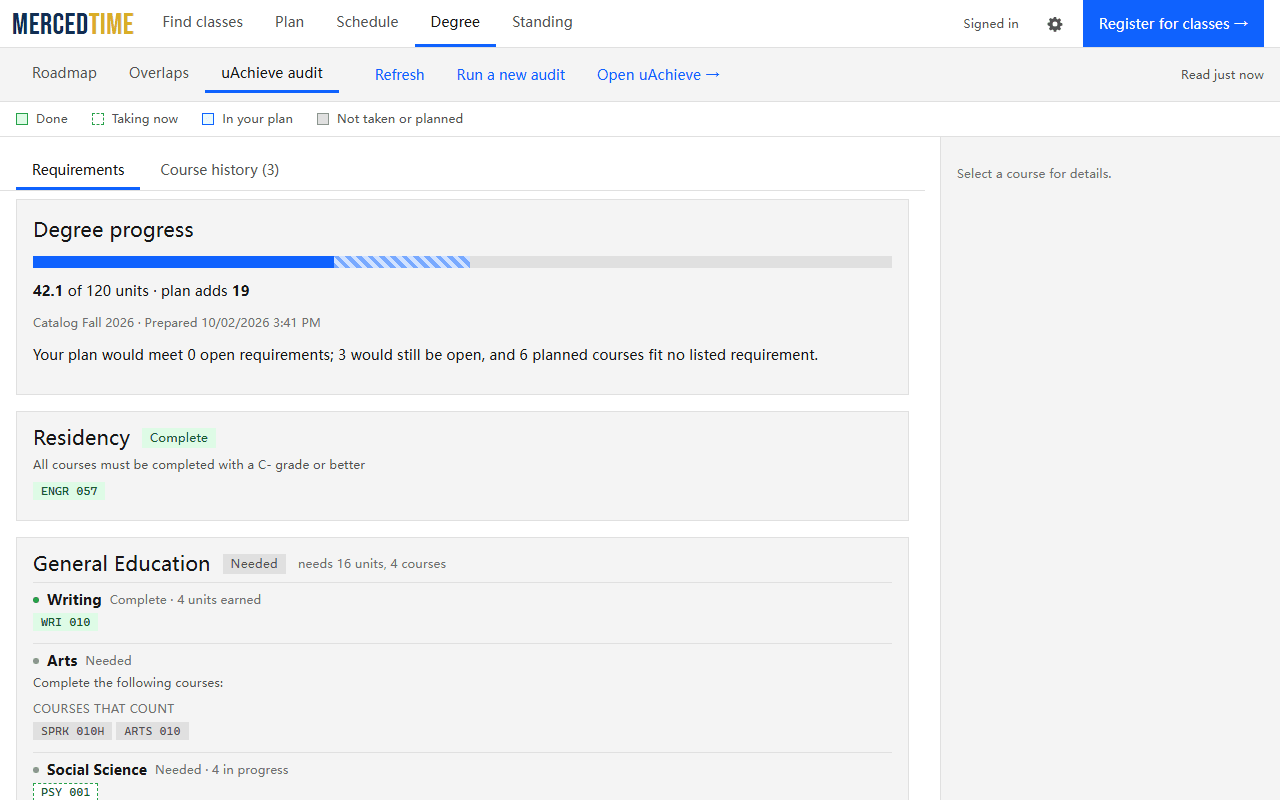
Your degree audit, with each requirement marked done, in progress, planned or still needed, and what your plan would finish.
It works with the UC Merced registration and degree audit sites you’re already signed in to.
Its Register button takes you to UC Merced’s own registration page for that.
Your plan and settings follow you through Chrome sync, if you have it on. Everything else stays on your computer.
Free for every UC Merced student
Add to Chrome